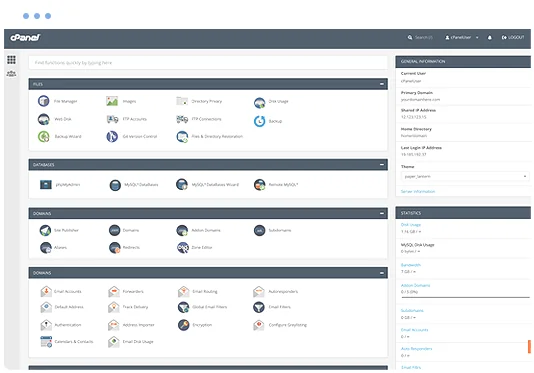
cPanel hosting control panel

What is osTicket?

osTicket is one of the most widely used open-source helpdesk systems. It collects support requests from email, web forms and phone calls into a single ticket queue, so nothing gets lost in a shared inbox. Every ticket has an owner, a status and a full history of the conversation.

It is a practical choice for small and medium businesses, schools and IT teams that want a proper support system without paying per-agent subscription fees. Customers can open and track their own tickets through a self-service portal, and a built-in knowledgebase lets them find answers without contacting you.

osTicket features

What you get when you run osTicket on Hoopla Hosting.

Email and web form tickets

Emails to your support address, such as support@yourdomain.co.nz, and submissions from your website become tickets automatically.

Departments, teams and assignment

Route tickets to the right department or person, automatically or by hand, and see who is working on what.

Help topics and custom forms

Ask customers for the right information up front with forms tailored to each type of request.

SLA plans and alerts

Set response targets, get alerts for overdue tickets and keep your team on track.

Canned responses and filters

Reply faster with saved responses, and use ticket filters to sort, prioritise and assign incoming requests.

Customer portal and knowledgebase

Customers can log in to see their tickets, and browse FAQs to solve common issues themselves.

What can you build with osTicket?

Customer support

Small businesses moving support out of a shared inbox.

Internal IT helpdesk

Staff logging IT requests for an in-house or outsourced IT team.

Schools and organisations

Managing requests from students, parents, members or the public.

Service businesses

Tracking maintenance, warranty or service jobs. Hosting resellers often use the support tickets built into WHMCS instead.

Softaculous one-click application installer

Why host osTicket with Hoopla?

Install osTicket in a few clicks with Softaculous in cPanel, then keep it running on fast, secure New Zealand hosting backed by a local support team.

  • One-click install and updates with Softaculous
  • Staging copies to test changes safely
  • Daily backups with JetBackup
  • Free SSL certificates
  • LiteSpeed web server and SSD storage
  • Web application firewall
  • Auckland infrastructure and 24/7 support
  • Free migration from your current host
FREE MIGRATION

osTicket hosting requirements

osTicket runs on PHP and MySQL/MariaDB, both included with every Hoopla cPanel plan. It is lightweight, so our web hosting plans suit most teams. You can create the support mailbox in cPanel on the same plan, and set up a cron job so osTicket checks it regularly.

Recommended: Web Hosting

$5.17+GST5.95incl. GST/month

Starting price, plus room to upgrade as your osTicket site grows.

Prices are in NZD and exclude GST.
COMPARE PLANS

Not sure what you need? Ask our team.

Getting started with osTicket

  1. Order a Web Hosting plan, or log in to your existing Hoopla cPanel account.
  2. Open Softaculous Apps Installer in cPanel and search for osTicket.
  3. Choose the domain to install on, set your admin username, password and email, then click Install.
  4. Create a support email account in cPanel, such as support@yourdomain.co.nz.
  5. In the osTicket admin panel, add the mailbox under Emails and set up a cron job in cPanel to fetch mail.
  6. Create your departments, help topics and staff accounts, then add your first knowledgebase articles.

osTicket Hosting FAQs

Can osTicket receive tickets by email?

Yes. osTicket can collect mail from a mailbox you create in cPanel, so emails to an address such as support@yourdomain.co.nz become tickets.

Can I install osTicket with one click?

Yes. osTicket is available in Softaculous in your cPanel account.

Which plan do I need for osTicket?

osTicket is lightweight, so our web hosting plans suit most teams.

Is osTicket free?

Yes. osTicket is free and open source, with no per-agent fees when you host it yourself.

Can I add a support form to my website?

Yes. osTicket includes a web form customers can use to open tickets, and you can link to it from your website.

Ready to launch osTicket?

Choose a plan, or contact our team and we can help you pick the right one.