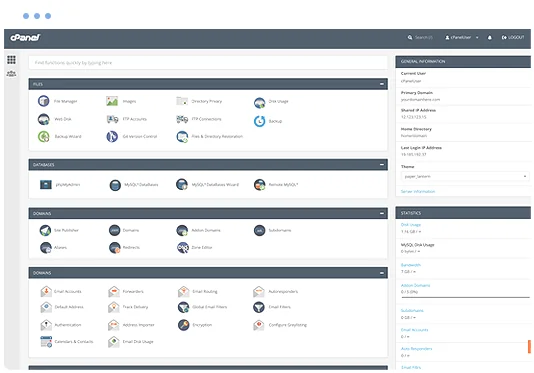
cPanel hosting control panel

What is Nextcloud?

Nextcloud is an open-source alternative to Dropbox, Google Drive and OneDrive that you host yourself. Your files sync between computers and phones, you can share them with clients and colleagues through secure links, and you can keep calendars and contacts in sync across your devices.

Because Nextcloud runs on your own hosting account rather than a big tech platform, you decide where your data lives and who can access it. With Hoopla, that means your files are stored on our Auckland infrastructure, which can help businesses that prefer to keep their data in New Zealand.

Nextcloud features

What you get when you run Nextcloud on Hoopla Hosting.

File sync on every device

Desktop apps for Windows, macOS and Linux and mobile apps for iOS and Android keep your files in sync and available offline.

Secure sharing

Share files and folders with links that can have passwords, expiry dates and upload-only access for collecting files from clients.

Calendar and contacts

Sync calendars and contacts with your phone and computer using standard CalDAV and CardDAV.

Versioning and recovery

Restore earlier versions of files and recover deleted items from the trash bin.

Users, groups and security

Create accounts for your team, share folders by group, and protect logins with two-factor authentication.

Hundreds of apps

Add task lists, notes, Kanban boards, forms and more from the Nextcloud app store.

What can you build with Nextcloud?

Small business file sharing

A central place for your team's documents without per-user cloud subscriptions.

Sharing files with clients

Sending large files and collecting documents through secure links, while osTicket handles their questions.

Keeping data in New Zealand

Organisations that prefer their files on NZ infrastructure.

Personal and family cloud

Photo backup, calendars and contacts you control.

Softaculous one-click application installer

Why host Nextcloud with Hoopla?

Install Nextcloud in a few clicks with Softaculous in cPanel, then keep it running on fast, secure New Zealand hosting backed by a local support team.

  • One-click install and updates with Softaculous
  • Staging copies to test changes safely
  • Daily backups with JetBackup
  • Free SSL certificates
  • LiteSpeed web server and SSD storage
  • Web application firewall
  • Auckland infrastructure and 24/7 support
  • Free migration from your current host
FREE MIGRATION

Nextcloud hosting requirements

Nextcloud uses the disk space included with your hosting plan, so choose a plan with room for your files. It also benefits from more memory and background jobs run by cron. We recommend Business Hosting for teams, as it offers more storage and resources. Larger teams or heavy use, such as many simultaneous sync clients, may be better suited to a Managed cPanel VPS.

Recommended: Business Hosting

$43.43+GST49.94incl. GST/month

Starting price, plus room to upgrade as your Nextcloud site grows.

Prices are in NZD and exclude GST.
COMPARE PLANS

Not sure what you need? Ask our team.

Getting started with Nextcloud

  1. Order a Business Hosting plan, or log in to your existing Hoopla cPanel account.
  2. Open Softaculous Apps Installer in cPanel and search for Nextcloud.
  3. Choose the domain to install on, set your admin username, password and email, then click Install.
  4. Log in to Nextcloud and create accounts and groups for your team.
  5. Switch background jobs to cron in Administration settings and add the cron job in cPanel.
  6. Install the desktop and mobile apps and connect them to your Nextcloud address.

Nextcloud Hosting FAQs

How much storage do I get with Nextcloud?

Nextcloud uses the disk space included with your hosting plan, so choose a plan with enough room for your files. Business Hosting plans offer more storage.

Can I install Nextcloud with one click?

Yes. Nextcloud is available in Softaculous in your cPanel account.

Is my Nextcloud data stored in New Zealand?

Our New Zealand hosting runs on Auckland infrastructure, so your Nextcloud files are stored in New Zealand.

Can I edit documents in Nextcloud?

Nextcloud includes a text editor for notes and Markdown. Full online office editing needs an extra document server, which uses more resources, so contact us if you need it.

Is Nextcloud backed up?

Your hosting account, including Nextcloud, is included in our daily JetBackup backups. Nextcloud also keeps file versions and a trash bin for quick recovery.

How many users can Nextcloud support?

That depends on your plan and how heavily it is used. Business Hosting suits small teams. For larger teams, talk to us about a Managed cPanel VPS.

Ready to launch Nextcloud?

Choose a plan, or contact our team and we can help you pick the right one.