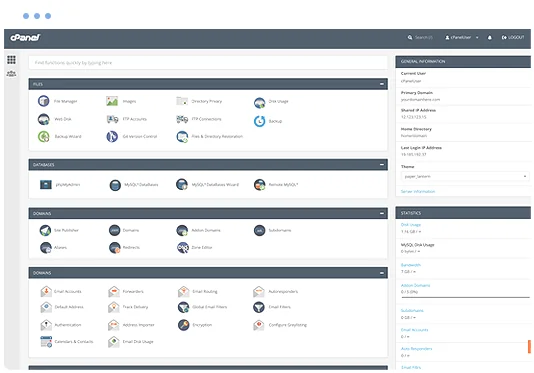
cPanel hosting control panel

What is Matomo?

Matomo, formerly known as Piwik, is an open-source web analytics platform. It shows you where your visitors come from, which pages they view, how long they stay and whether they complete your goals, much like Google Analytics.

The difference is ownership. Matomo stores all of your analytics data in your own hosting account rather than sending it to a third party, and it can run without cookies. That makes it easier to respect your visitors' privacy and to meet obligations under the Privacy Act, while still getting the insight you need to improve your website.

Matomo features

What you get when you run Matomo on Hoopla Hosting.

Complete traffic reports

See visitors, pages, referrers, search keywords, devices, locations and a real-time view of who is on your site.

You own the data

All data stays in your own hosting account, with no data sharing or sampling.

Privacy tools

Run without cookies, anonymise IP addresses, honour Do Not Track and delete visitor data on request.

Goals, ecommerce and campaigns

Track conversions, online store revenue and the performance of your marketing campaigns.

Tag Manager

Manage tracking codes and marketing tags from Matomo's built-in tag manager.

Dashboards and email reports

Build custom dashboards and send scheduled reports to your team or clients.

What can you build with Matomo?

Privacy-conscious businesses

Organisations that do not want to share visitor data with advertising companies.

Agencies

Tracking several client websites from one Matomo installation.

Government and education

Sites with strict data handling requirements.

Online stores

Measuring revenue, conversion rates and abandoned carts on WooCommerce, PrestaShop and Magento stores.

Softaculous one-click application installer

Why host Matomo with Hoopla?

Install Matomo in a few clicks with Softaculous in cPanel, then keep it running on fast, secure New Zealand hosting backed by a local support team.

  • One-click install and updates with Softaculous
  • Staging copies to test changes safely
  • Daily backups with JetBackup
  • Free SSL certificates
  • LiteSpeed web server and SSD storage
  • Web application firewall
  • Auckland infrastructure and 24/7 support
  • Free migration from your current host
FREE MIGRATION

Matomo hosting requirements

Matomo runs on PHP and MySQL/MariaDB, both included with every Hoopla cPanel plan. Small and medium websites run well on our web hosting plans. For busy sites, set up the archiving cron job in cPanel, and consider Business Hosting for extra database resources as your traffic grows.

Recommended: Web Hosting

$5.17+GST5.95incl. GST/month

Starting price, plus room to upgrade as your Matomo site grows.

Prices are in NZD and exclude GST.
COMPARE PLANS

Not sure what you need? Ask our team.

Getting started with Matomo

  1. Order a Web Hosting plan, or log in to your existing Hoopla cPanel account.
  2. Open Softaculous Apps Installer in cPanel and search for Matomo.
  3. Choose the domain to install on, set your admin username, password and email, then click Install.
  4. Add your website in Matomo and copy the tracking code into your site, or install the Matomo plugin for WordPress.
  5. Set up the report archiving cron job in cPanel so reports load quickly.
  6. Configure privacy settings, such as IP anonymisation and cookieless tracking, and add your goals.

Matomo Hosting FAQs

Can I install Matomo with one click?

Yes. Matomo is available in Softaculous in your cPanel account. Add the tracking code to your website, or use the Matomo plugin for WordPress.

Does Matomo work for busy websites?

Yes, but busy sites should set up the Matomo archiving cron job in cPanel. For high traffic, Business Hosting gives more database resources.

Why use Matomo instead of Google Analytics?

With Matomo your analytics data stays in your own hosting account in New Zealand rather than with a third party, which can make privacy compliance simpler.

Can I import my Google Analytics data?

Yes. Matomo has a free Google Analytics importer plugin that can bring your historical data across.

Can one Matomo installation track several websites?

Yes. You can track as many websites as you like from one installation, which is useful for agencies and businesses with several sites.

Ready to launch Matomo?

Choose a plan, or contact our team and we can help you pick the right one.