



You can change the PHP version for any domain on our shared, reseller and Managed cPanel VPS hosting.
- Log in to cPanel. The easiest way is to open your service under Services → My Services (https://www.hooplahosting.co.nz/client/clientarea.php?action=services) and click Log in to cPanel.
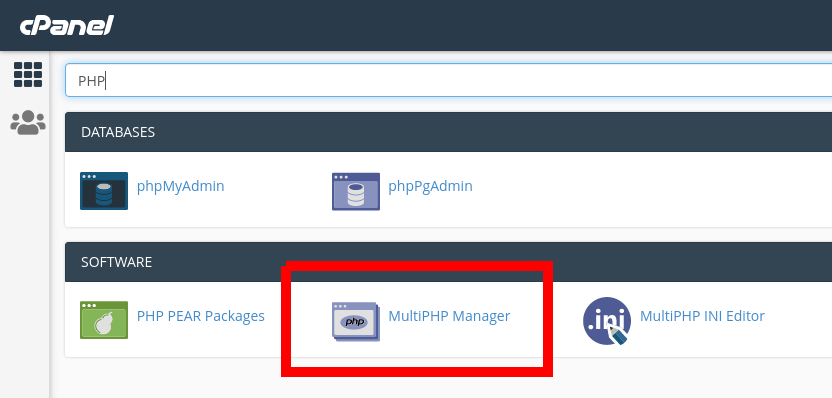
- Type PHP in the search bar at the top of cPanel, then open MultiPHP Manager.
- Tick the domain you want to change.
- Choose the version from the PHP Version drop-down, then click Apply.
The change takes effect straight away. Check your website afterwards, and if anything breaks, switch back the same way.
For the full list of versions we support, see Which PHP versions do you support?
