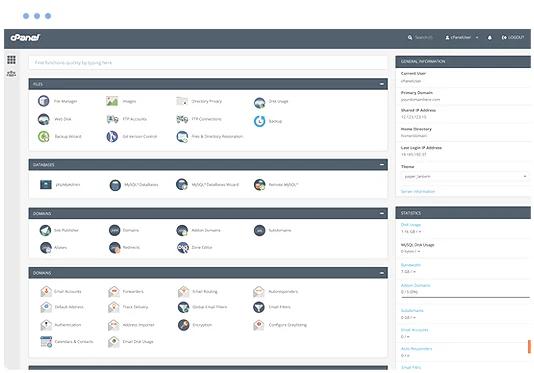
cPanel hosting control panel

What is Concrete CMS?

Concrete CMS, known as concrete5 until 2021, is a free, open-source CMS built around in-context editing. Instead of filling in forms in a separate admin area, editors browse to the page they want to change, click edit, and work directly on the page as visitors will see it. Content is made of blocks, such as text, images, forms and galleries, that can be added and rearranged with drag and drop.

Behind that simple editing experience is a capable platform. Every change is versioned, so you can compare and roll back pages. Approval workflows, page permissions and multilingual sections suit organisations with several editors. Developers can build custom block types, themes and data objects using its PHP framework.

Concrete CMS features

What you get when you run Concrete CMS on Hoopla Hosting.

In-context editing

Edit text, images and layouts directly on the live page, so what you see while editing is exactly what visitors get.

Drag-and-drop blocks

Build pages from reusable blocks for content, images, video, forms, maps and more, and arrange them in flexible layouts.

Version history and approvals

Every page edit creates a new version you can compare, approve or roll back, with optional workflows for review before publishing.

Built-in forms, blog and galleries

Common website features, including forms with email notifications, a blog, image galleries and calendars, are included without add-ons.

Permissions and multilingual sites

Control who can edit each page or area of the site, and run separate language sections with translation tools.

Marketplace and Express objects

Add themes and add-ons from the marketplace, and use Express to create custom data, such as staff directories or listings, without code.

What can you build with Concrete CMS?

Business websites edited by staff

Sites where marketing or admin staff, rather than developers, keep content up to date.

Organisations with approval processes

Teams that need changes reviewed and approved before they go live.

Brochure and service sites

Clean, design-led sites with pages, forms and galleries.

Agency-built client sites

Web designers who want to hand over a site clients can edit without breaking the design. Developer-led agencies may prefer Silverstripe.

Softaculous one-click application installer

Why host Concrete CMS with Hoopla?

Install Concrete CMS in a few clicks with Softaculous in cPanel, then keep it running on fast, secure New Zealand hosting backed by a local support team.

  • One-click install and updates with Softaculous
  • Staging copies to test changes safely
  • Daily backups with JetBackup
  • Free SSL certificates
  • LiteSpeed web server and SSD storage
  • Web application firewall
  • Auckland infrastructure and 24/7 support
  • Free migration from your current host
FREE MIGRATION

Concrete CMS hosting requirements

Concrete CMS runs on PHP and MySQL/MariaDB, both included with every Hoopla cPanel plan. Our web hosting plans suit most Concrete CMS sites. Sites with heavy traffic or many editors may suit Business Hosting.

Recommended: Web Hosting

$5.17+GST5.95incl. GST/month

Starting price, plus room to upgrade as your Concrete CMS site grows.

Prices are in NZD and exclude GST.
COMPARE PLANS

Not sure what you need? Ask our team.

Getting started with Concrete CMS

  1. Order a Web Hosting plan, or log in to your existing Hoopla cPanel account.
  2. Open Softaculous Apps Installer in cPanel and search for Concrete CMS.
  3. Choose the domain to install on, set your admin username, password and email, then click Install.
  4. Log in and use the edit mode toolbar to change pages directly on your site.
  5. Choose a theme, then build your pages from blocks and set up your site navigation.
  6. Set page permissions and workflows in the Dashboard if several people will be editing.

Concrete CMS Hosting FAQs

Is Concrete CMS the same as concrete5?

Yes. concrete5 was renamed Concrete CMS in 2021. Older concrete5 sites can be hosted and upgraded on our platform.

Can I install Concrete CMS with one click?

Yes. Concrete CMS is available in Softaculous in your cPanel account, which sets up the database and files for you.

Can you move my existing Concrete CMS site?

Yes. Migration assistance is included with our hosting plans for supported websites, databases and email.

Do I need to know code to use Concrete CMS?

No. Editors work directly on the page with blocks and drag and drop. Coding is only needed if you want custom themes or block types.

Which plan do I need for Concrete CMS?

Most Concrete CMS sites run well on our web hosting plans. Busy sites or those with many editors may suit Business Hosting.

Ready to launch Concrete CMS?

Choose a plan, or contact our team and we can help you pick the right one.