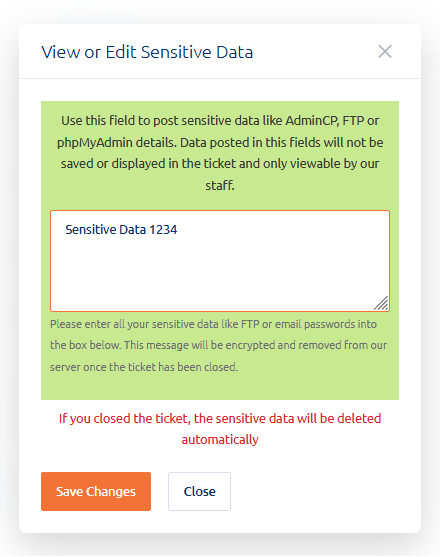
Sensitive Data Protection
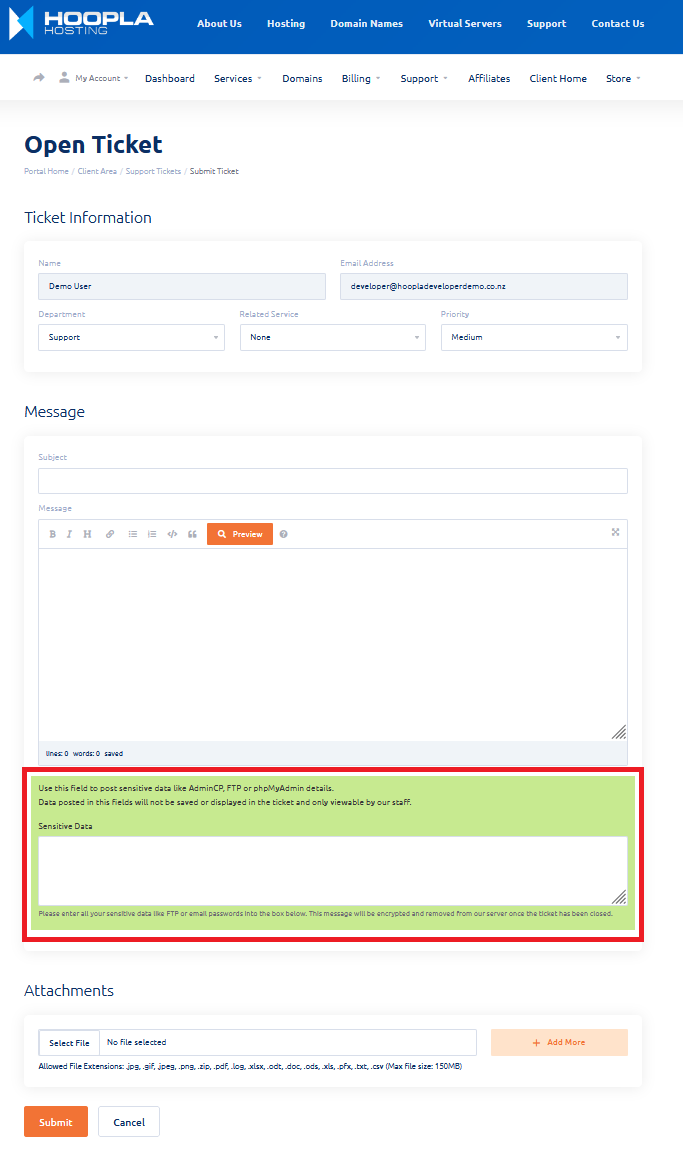
During the submission of support tickets you can now enter sensitive information such as logins, passwords into the sensitive area.
What does this do?
- Sensitive passwords in plain text via email is not ideal - This secure area stops your sensitive logins being sent across emails.
- Enables our staff to securely send you logins.
How does it work?
- When the support ticket is closed the sensitive data is deleted permanently.
- Client area access is required to view the sensitive data.
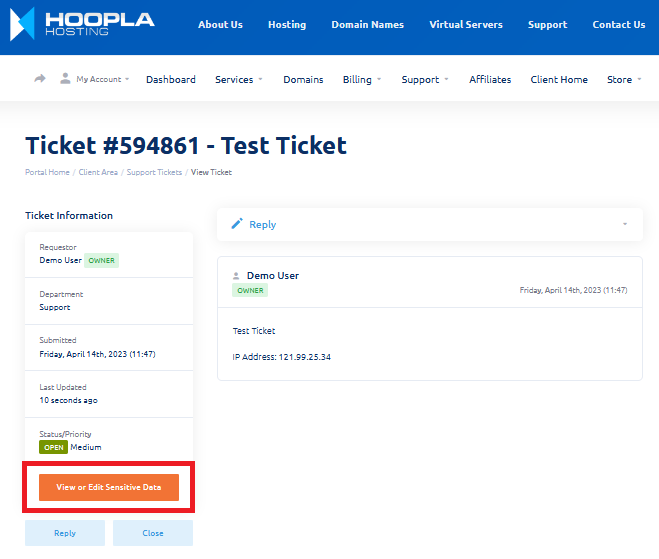
- You can enter, edit sensitive information whilst the ticket is open - Click on the 'View or Edit Sensitive Data' button on the support ticket.
See below Sensitive Data in action:
Opening Ticket:
Whilst viewing the ticket you can edit sensitive information:
Editing sensitive information: