



Howto build an eCommerce store using WordPress & WooCommerce.
- WooCommerce is a customizable, open-source eCommerce platform built on WordPress.
- Add the WooCommerce plugin to any WordPress site and set up a new store in minutes. Get secure payments, configurable shipping options, and more, out of the box – for free.
- From subscriptions to gym classes to luxury cars, WooCommerce is fully customizable. Add features and extend the functionality of your store with official extensions from the WooCommerce Marketplace.
- WooCommerce is one of the fastest-growing eCommerce communities. We’re proud that the helpfulness of the community and a wealth of online resources are frequently cited as reasons our users love it. There are 80+ meetups worldwide!
- Woocommerce integrates with a number of payment gateways enabling you to setup online credit card payments. ( Stripe is recommended - www.stripe.com )
Lets get started first, with installing WordPress & Woocommerce.
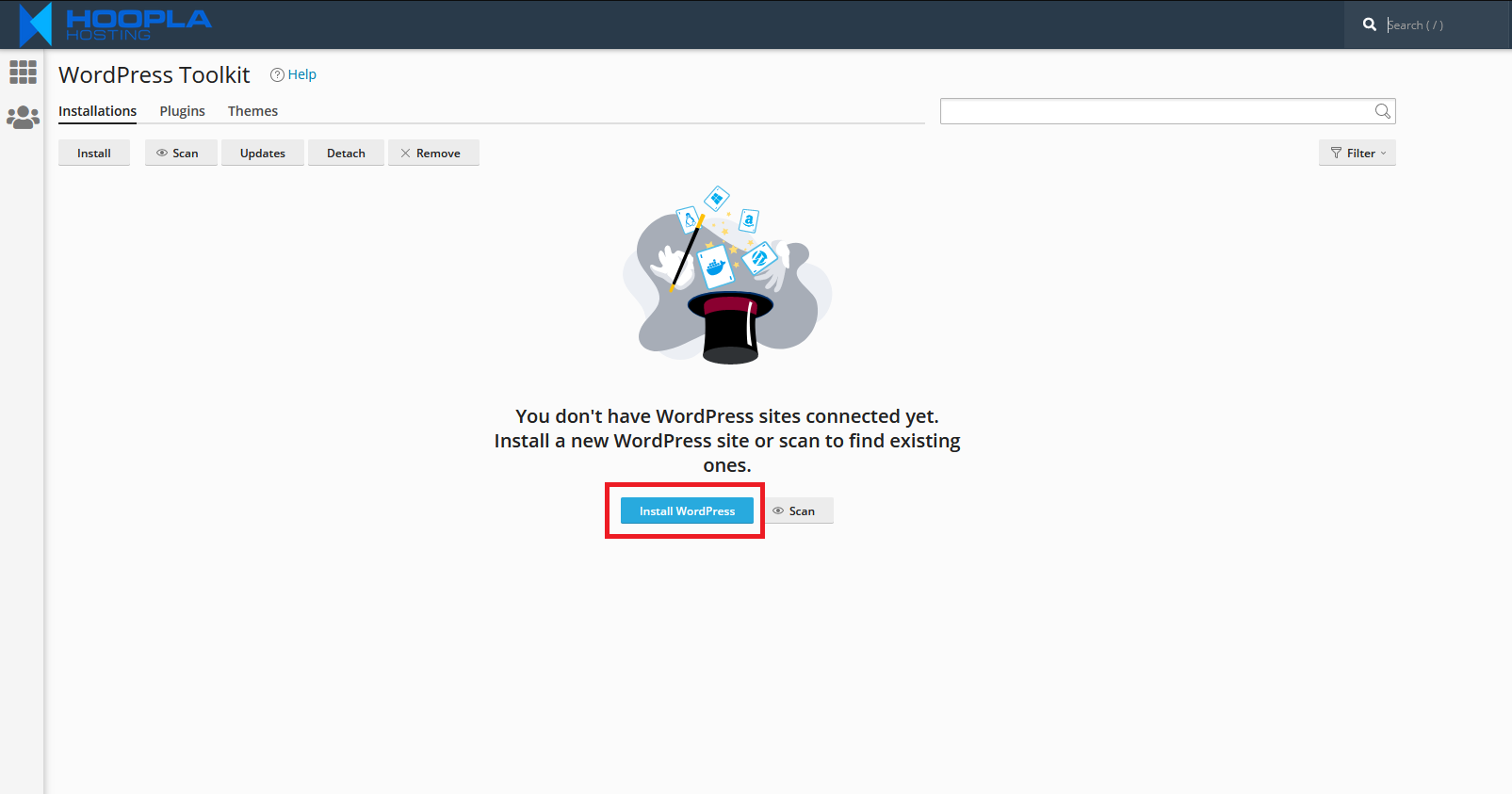
From your cPanel, Click on Wordpress Toolkit. Where is cPanel? - Login to your cPanel via clicking on your hosting service, then on the left hand menu - ' Login to cPanel '
Step 1:
Click on Install Wordpress.
Step 2:
Next we will choose URL, Website Title, Plugins and your admin logins.
Ensure you select ' E-Commerce Pack ' from the plugin/theme set.
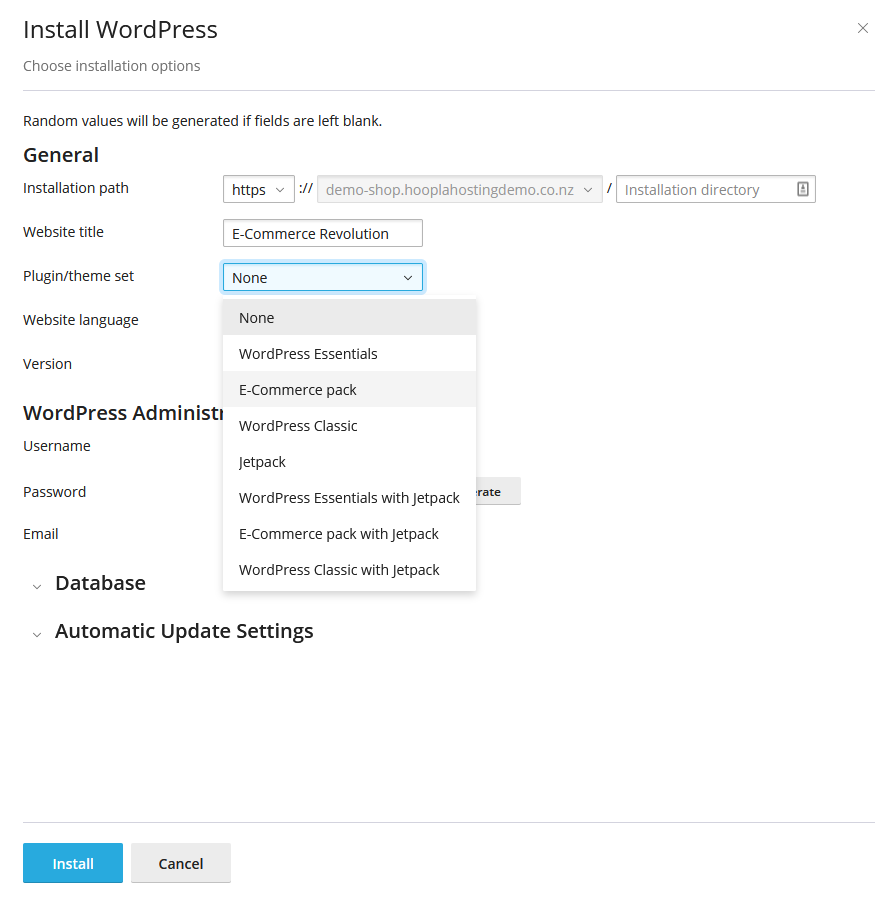
Once you have entered your website title, logins and email - Proceed to click ' Install '.
Step 3:
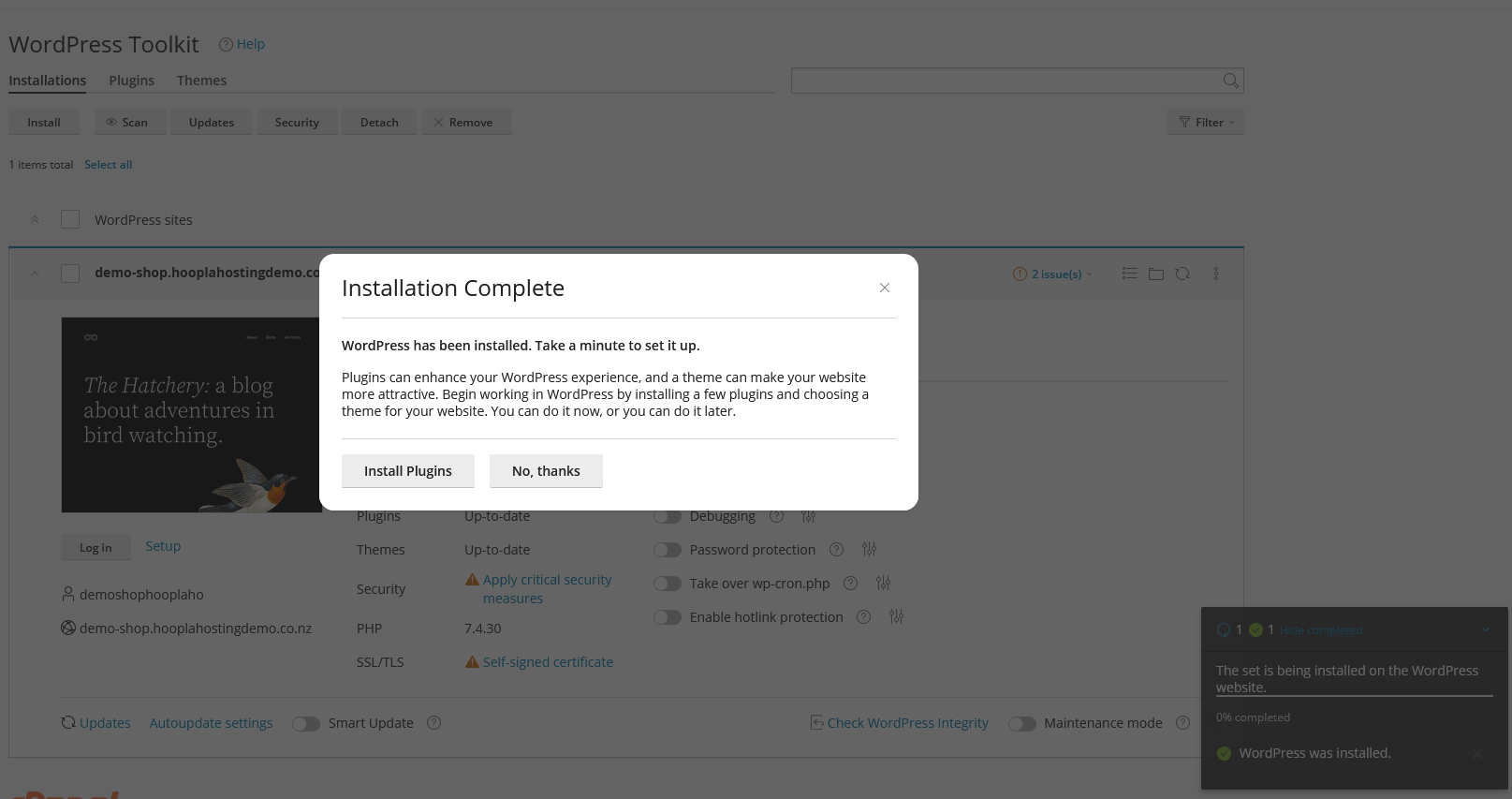
Wait 5-10 minutes for install of Wordpress & Theme.
Next click on No Thanks, the eCommerce plugin set will be installed in the background automatically.
Step 4:
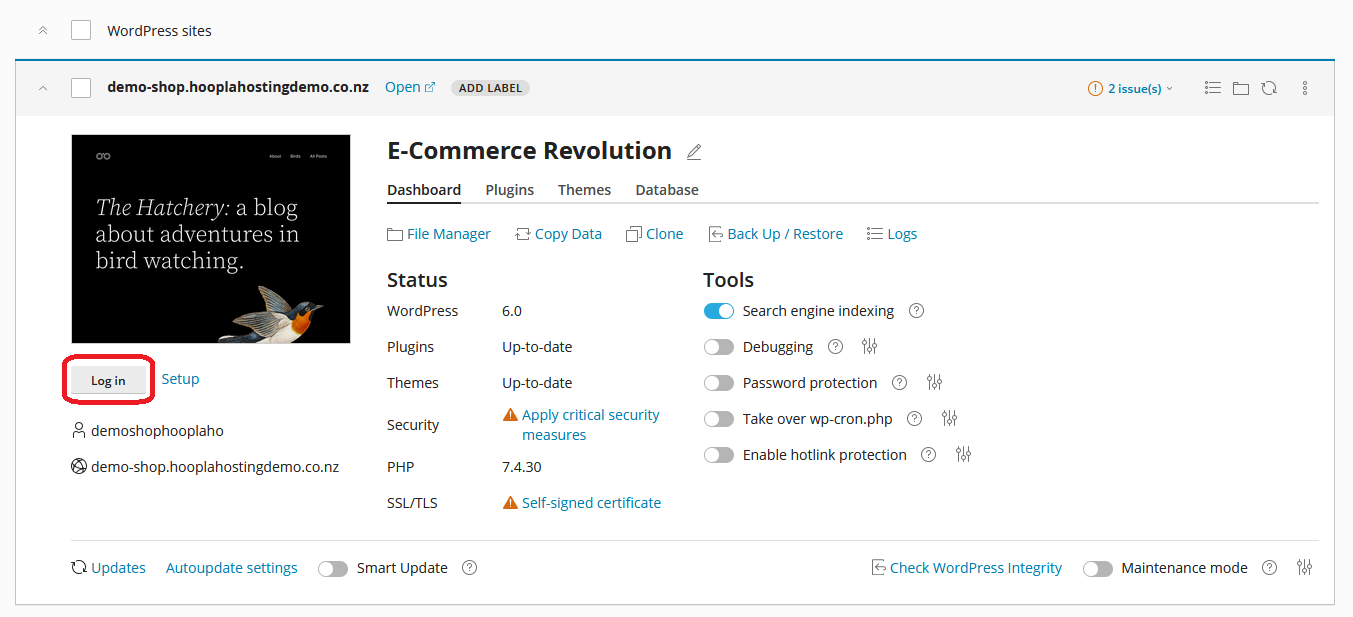
Login to your WordPress via Clicking Login.
Step 5:
Your now logged into your new WordPress.
Your eCommerce journey begins here:
Firstly complete the Woocommerce Setup this will begin upon logging into WordPress - WooCommerce Documentation & Support
Setup your payment gateway - WooCommerce includes a number of options. WooCommerce Supported Gateways
Select a free theme or get a premium theme that integrates with WooCommerce - ThemeForest.net
Checkout a range of plugins available for WooCommerce ranging from Marketing to Increasing conversions - WooCommerce Extensions
Google Analytics for eCommerce monitoring: Google Analytics
Google Search Console: Google Search Console Setup
Google Adwords for Marketing via Google Search: Google Adwords
Tips:
YouTube is key to improving your abilities within WordPress & Woocommerce - Don't be scared, google it or youtube search it if you find something difficult.
WordPress Revisions - They are super helpful when making a mistake, check out revisions in wordpress classic editor - You can restore previous versions/edits of a page.
Compare your website to competitors - Is it smooth? Do all your images line up? Is your theme optimized for mobile devices?
Keep checkout simple, smooth and easy to use - One page checkout plugins are available.
New WooCommerce Store Owner Guide
