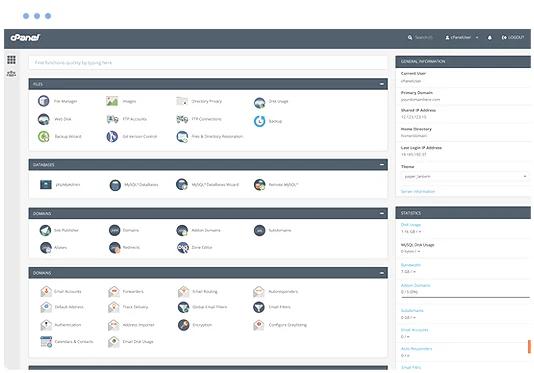
• Manage domains
  • Launch databases
  • Publish a website
cPanel hosting control panel

WideImage Web Hosting

Run WideImage on a managed cPanel hosting platform with the tools needed to manage your website, email, databases and SSL.

  • WideImage Compatible
  • Multiple Website Support
  • Unlimited Email Accounts
  • Web Application Firewall
  • SSL Certificates Included
  • Easily install WideImage
  • cPanel control panel
  • 24/7 Support Helpdesk
Softaculous one-click application installer

Application installs with Softaculous

Softaculous lets you install and manage supported applications through cPanel, including WideImage and other frameworks scripts such as Laravel, Webasyst, CodeIgniter, Bootstrap, HTML Purifier, Symfony, yii, Zend, CakePHP and Smarty.

Install or manage supported applications from your hosting control panel without a manual setup process.

Web Hosting Pricing from $12.0405 Per Month


VIEW ALL PACKAGES

WideImage hosting features

WideImage is an object-oriented library for image manipulation.

The Benefits of WideImage Hosting


Supported formats

WideImage supports all formats that are natively supported by the GD extension on the server (this currently includes GIF, PNG, JPG, GD, GD2, WBMP, XBM, XPM). It also supports BMP (read/write) and TGA (read only).

Loading images

Loading an image is easy â?? you only have to call the WideImage::load() static method and specify the image source. WideImage tries to detect whether the source is a file, url, upload, a binary string or a valid GD image resource (image handle). WideImage supports the most common image formats.

Saving images

WideImage supports saving images to files, outputting the image directly to the browser, and retrieving them as a string. With string output, you can easily capture image data and write it for example to a database.

Manipulating images

In WideImage, you manipulate the images by calling the appropriate operation method on the image object. Every operation returns a new Image object (for the nerds: this is basically a value object).

Smart coordinates

Smart coordinates were implemented to make operations that involve coordinates, dimensions, and positioning easier. They can be useful with any operation that requires coordinates as parameters, like resize, crop, etc.

Resource handling

WideImage takes care of image resources for you; you don't have to destroy the images explicitly, they're automatically destroyed when an image object is no longer used. You can change that at runtime by releasing the handle of an image via releaseHandle() method.

Explore related applications