• Manage domains
  • Launch databases
  • Publish a website
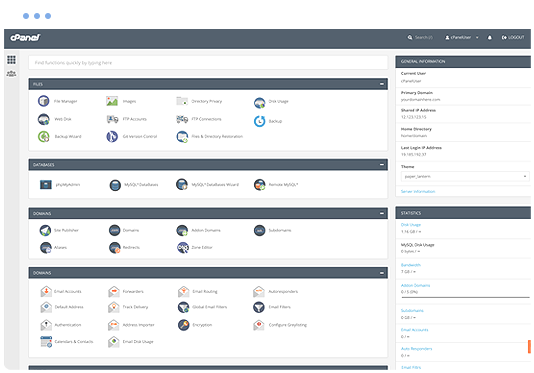
cPanel hosting control panel

Plikli CMS Web Hosting

Run Plikli CMS on a managed cPanel hosting platform with the tools needed to manage your website, email, databases and SSL.

  • Plikli CMS Compatible
  • Multiple Website Support
  • Unlimited Email Accounts
  • Web Application Firewall
  • SSL Certificates Included
  • Easily install Plikli CMS
  • cPanel control panel
  • 24/7 Support Helpdesk
Softaculous one-click application installer

Application installs with Softaculous

Softaculous lets you install and manage supported applications through cPanel, including Plikli CMS and other cms scripts such as Bludit, Joomla, Open Real Estate, SofaWiki, MODX, Zikula, PluXml, Croogo, Tiki Wiki CMS Groupware 24 and e107.

Install or manage supported applications from your hosting control panel without a manual setup process.

Web Hosting Pricing from $12.0405 Per Month


VIEW ALL PACKAGES

Plikli CMS hosting features

Plikli CMS is the Phoenix that rose from the ashes of Pligg and Kliqqi, hence the name PliKli!

Plikli CMS 0 Plikli CMS 1 Plikli CMS 2
Plikli CMS 3 Plikli CMS 4

The Benefits of Plikli CMS Hosting

  • Plikli Settings : Plikli CMS Dashboard contains all the settings you need to configure your site, using Edit-In-Place feature, and run it. You can activate/deactivate features and change sizes and permissions!
  • Plikli Manage : The Manage Section in the Dashboard provides Admins with a complete visual of users activity and allows them to manage and control all the important features that run in the front-end of the CMS, I.e. Submissions, Comments, Users accounts, Groups, Static pages, Categories, Error log, File and MySQL Backup!
  • Plikli Modules & Widgets : Plikli CMS Modules and Widgets are like plugins in WordPress; they extend functionalities and features without altering the core files. Plikli CMS includes 28 Modules, out of which 6 are pre-installed, and 7 Widgets, with 4 pre-installed. All installed Modules that have their own settings, will appear in the left side bar of the Dashboard for easy access. Modules and Widgets are constantly updated and more are being created to enhance the functionality of the CMS!

Explore related applications