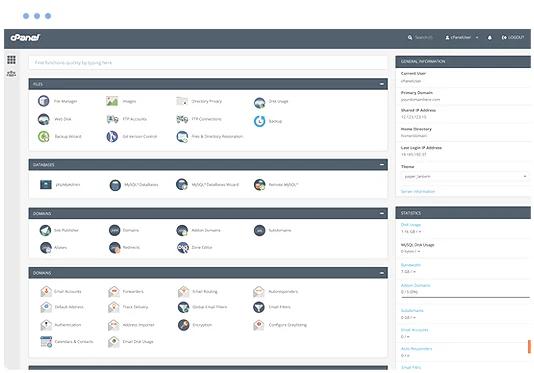
• Manage domains
  • Launch databases
  • Publish a website
cPanel hosting control panel

ImpressPages Web Hosting

Run ImpressPages on a managed cPanel hosting platform with the tools needed to manage your website, email, databases and SSL.

  • ImpressPages Compatible
  • Multiple Website Support
  • Unlimited Email Accounts
  • Web Application Firewall
  • SSL Certificates Included
  • Easily install ImpressPages
  • cPanel control panel
  • 24/7 Support Helpdesk
Softaculous one-click application installer

Application installs with Softaculous

Softaculous lets you install and manage supported applications through cPanel, including ImpressPages and other cms scripts such as Bludit, Joomla, Open Real Estate, SofaWiki, MODX, Zikula, PluXml, Croogo, Tiki Wiki CMS Groupware 24 and e107.

Install or manage supported applications from your hosting control panel without a manual setup process.

Web Hosting Pricing from $12.0405 Per Month


VIEW ALL PACKAGES

ImpressPages hosting features

ImpressPages is user friendly software. Its tools enable user to manage the content of website in a convenient way.

ImpressPages 0 ImpressPages 1 ImpressPages 2
ImpressPages 3 ImpressPages 4

The Benefits of ImpressPages Hosting

Smart copy & paste

It erases all HTML and CSS trash (tags, styles, etc.), but leaves exactly what you expect and need: bold, italic, underline, links, lists, paragraphs, line breaks. All styles are automatically transformed to already defined website styles.

SEO friendly

From the very beginning CMS kernel has been developed considering the needs of SEO. The system/software automatically performs the major part of this task. Your website will have better ranking in search engines.

Specific SEO features of ImpressPages:
  • automatic generation of SEO friendly URLs;
  • setting of title, keywords, description and URL values for each page;
  • automatic sitemap generations;
  • content widgets are compatible with SEO recommendations for content.

Internal linking

Internal page linking is made easy. Just browse the page tree and click on the page you need. Link is inserted automatically. If you have a link, system automatically select that page in a tree and shows you where it is.

Easy tool for multilingual websites

Newsletter

Smart search

RSS

Sitemap

Error reporting

Antispam tool

Move website with ease

Maintenance mode

Security

Widgets and layouts

Tool for website administrator

Explore related applications