• Manage domains
  • Launch databases
  • Publish a website
cPanel hosting control panel

EspoCRM Web Hosting

Run EspoCRM on a managed cPanel hosting platform with the tools needed to manage your website, email, databases and SSL.

  • EspoCRM Compatible
  • Multiple Website Support
  • Unlimited Email Accounts
  • Web Application Firewall
  • SSL Certificates Included
  • Easily install EspoCRM
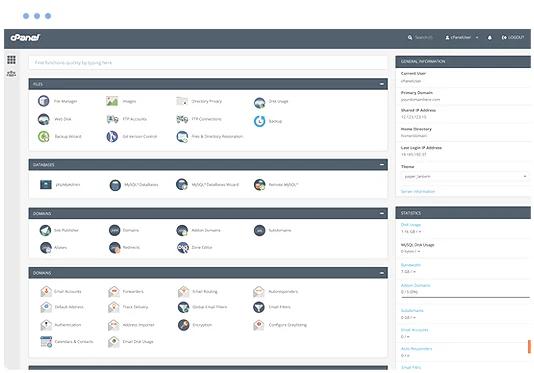
  • cPanel control panel
  • 24/7 Support Helpdesk
Softaculous one-click application installer

Application installs with Softaculous

Softaculous lets you install and manage supported applications through cPanel, including EspoCRM and other erp scripts such as FrontAccounting, Dolibarr, Vtiger, YetiForce, SugarCRM, Zurmo, webERP, OrangeHRM, SuiteCRM and EPESI.

Install or manage supported applications from your hosting control panel without a manual setup process.

Web Hosting Pricing from $12.0405 Per Month


VIEW ALL PACKAGES

EspoCRM hosting features

A web application that allows you to see, enter and evaluate all your company relationships regardless of the type.

EspoCRM 0 EspoCRM 1 EspoCRM 2
EspoCRM 3 EspoCRM 4

The Benefits of EspoCRM Hosting

  • Sales Automation
    • Leads – Converting Lead to Opportunity/Account/Contact.
    • Opportunities – Potential sales in CRM.
    • Accounts – Each account is a central record in B2B model.
    • Contacts – Contact can be related to multiple Accounts with specific roles of relationships.

  • Calendar
    • Meetings.
    • Calls.
    • Tasks.
    • Send Invitations to attendees.
    • Google Calendar Integration (TBD).

  • Emails
    • Inbound Emails – Archiving emails from group email box. Email-to-Case.
    • Email Accounts – Automatic archiving emails from personal email box.
    • Compose Email – Sending emails from EspoCRM.
    • Email Templates.
    • Multiple email addresses per record.

  • Social
    • Activity Stream – Feed where changes and new additions of followed records are shown.
    • Follow Button – User can follow particular record. Records he/she creates or those that got assigned to him/her are followed automatically.

  • Customer Support
    • Cases – Email-to-Case.
    • Customer Portal (TBD).

  • Documents
    • Attaching Documents.
    • Google Drive Integration (TBD).
    • DropBox Integration (TBD).

  • Inventory Management
    • Products (TBD).
    • Quotes and Invoicing (TBD).

  • Analytics
    • Reports (TBD).

  • Web Forms
    • Web-to-Lead forms (TBD).

  • Marketing Automation
    • Campaigns (TBD).
    • Target Lists (TBD).
    • Mass Email (TBD).
    • MailChimp Integration (TBD).

  • Telephony
    • Asterisk integration (TBD).
    • Multiple phone numbers per record. Different types of phone number (Mobile, Office, Fax, etc.).

  • Administration
    • Data Import.
    • Users – No user limitation.
    • Teams.
    • Roles – Access control.
    • LDAP Authentication.
    • SAML Authentication (TBD).
    • Currency Rates.

  • Workflows
    • Workflow Management (TBD) – Conditions, Actions.

  • Customization
    • Layout Manager – Change layouts for detail and list views.
    • Field Manager – Create new fields or modify existing ones.

EspoCRM News

- Sales Pack v4.4 released
- What open-source AI models can do for your CRM
- What nonprofits can learn from how the Red Cross uses EspoCRM
- EspoCRM v10.0 released
- Managed EspoCRM Hosting with Elestio
- Building a custom customer portal in EspoCRM without writing a line of code
- How to Build a Custom CRM System From Scratch With EspoCRM
- Why data control matters more than ever for European businesses
- Sales Pack v4.0 released
- CRM vs ERP: What’s the difference and which one do you need?

Explore related applications