



Crazydomains provide information within their Online Support for finding your UDAI or EPP code. This can be seen here. https://www.crazydomains.co.nz/help/how-to-obtain-the-udai-key/
We have provided a visual guide below on how to obtain your UDAI code below. Please note the code may take some time to appear or may not appear at all. We recommend opening a support ticket with Crazydomains if this happens.
- Login to your Crazy Domains Account manager.

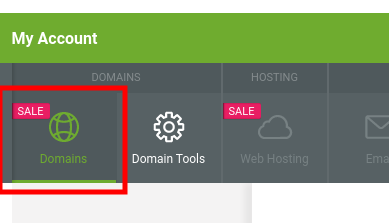
- Click Domains within the Account Manager
- Click the hidden dropdown menu. Select Registry Key
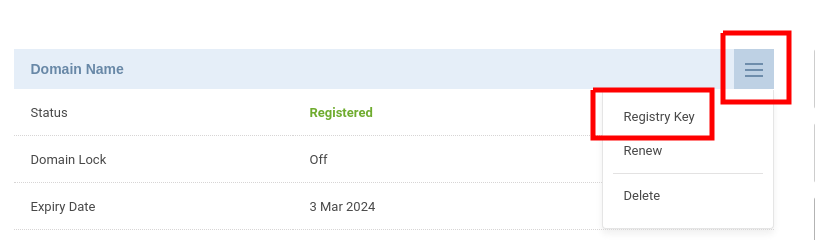
- If no UDAI or EPP code shows then click reset. It may take 10-15 minutes before the code shows, repeat the process until the code shows.

